
How to add CookZone to your share menu
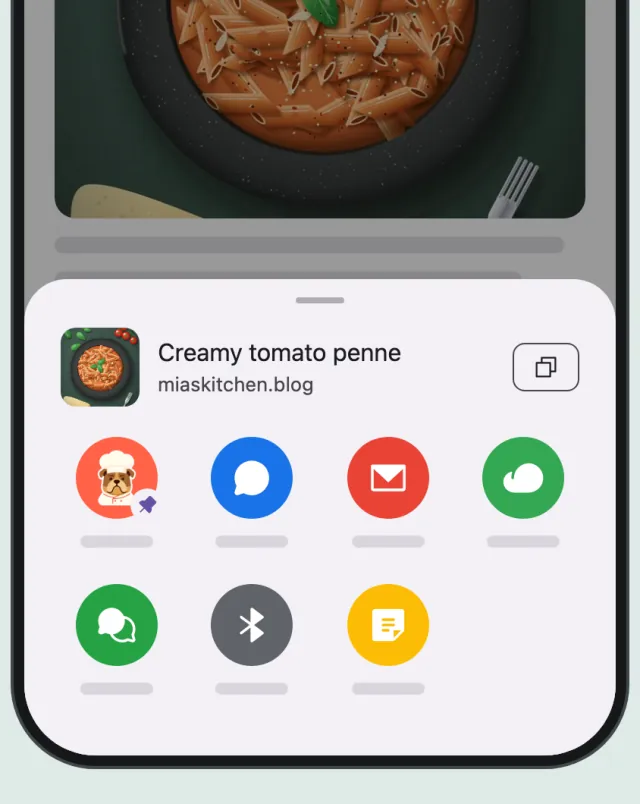
When you share a recipe, CookZone should be easy to find. On iPhone, move it to the front of the row of apps. On Android, pin it to the top of the share menu. You only do this once.
Updated
On iPhone
-
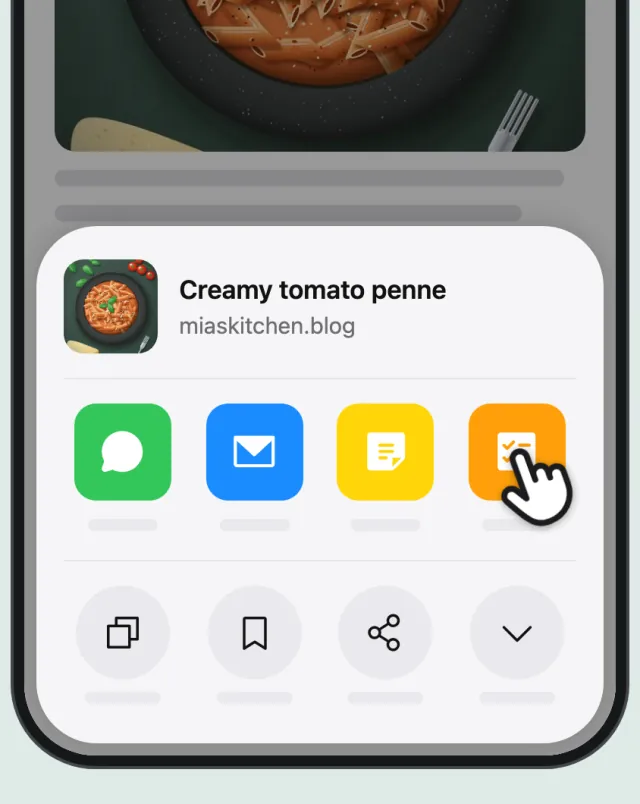
Swipe to the end of the row
Open the share menu in any app, for example from a recipe in Instagram or Safari. Swipe the row of apps all the way to the end.
-
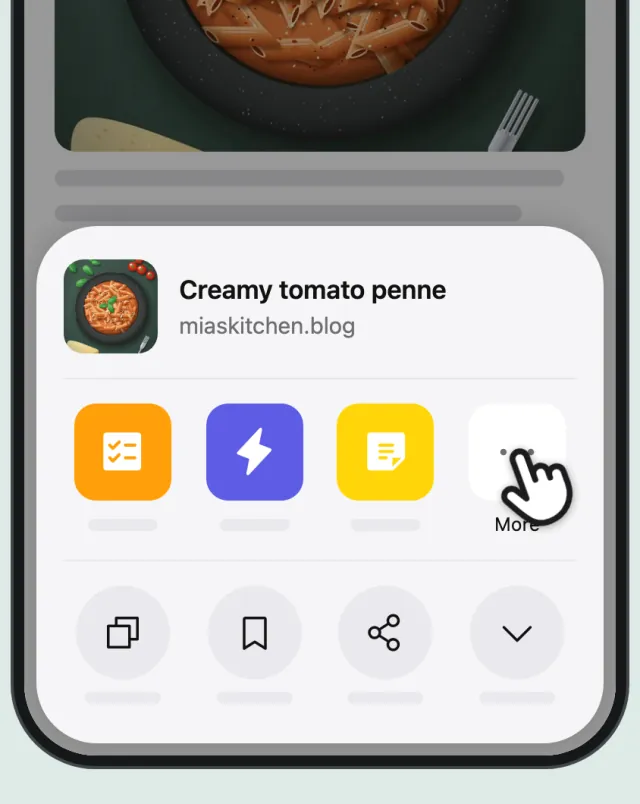
Tap “More”
At the end of the row, tap “More” to see all your apps.
-
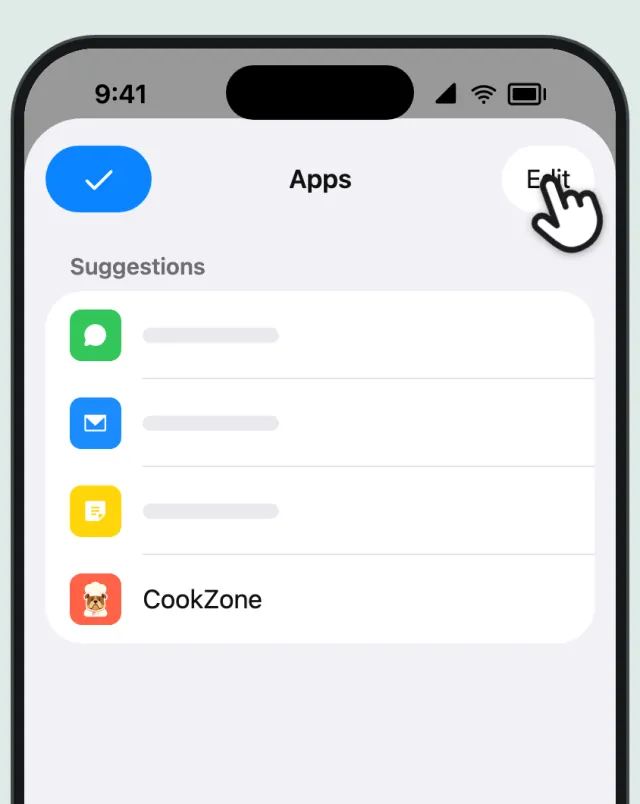
Tap “Edit”
Tap “Edit” at the top of the list.
-
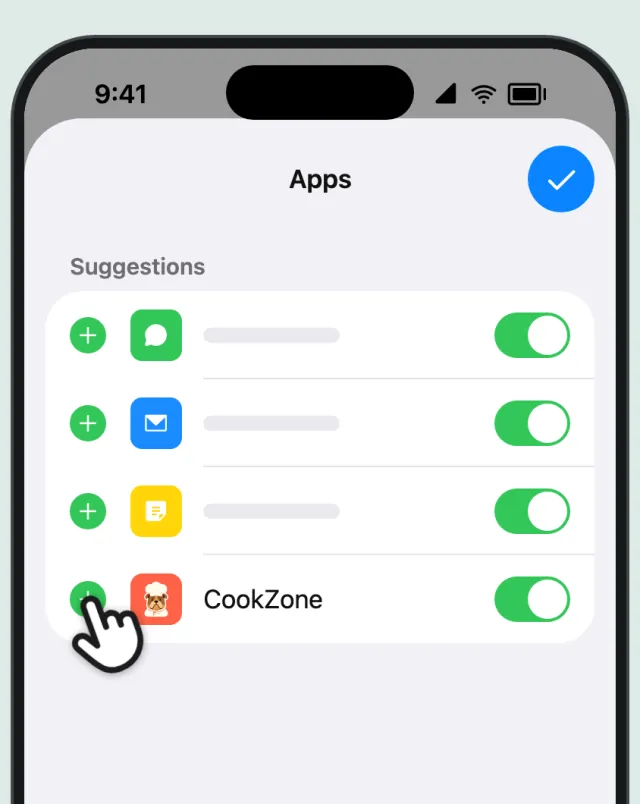
Tap the green +
Tap the green + next to CookZone.
-
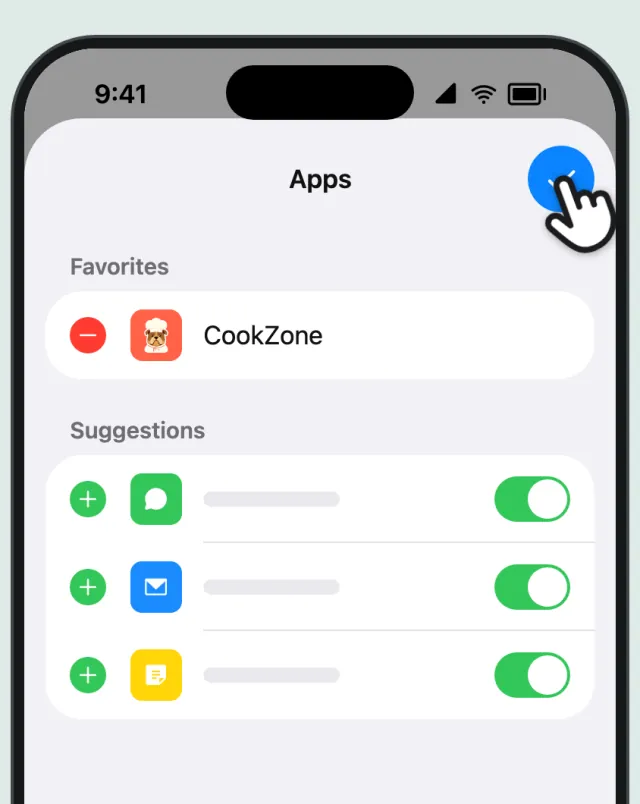
Tap ✓
Tap ✓. CookZone now always comes first in your share menu.
On Android
-
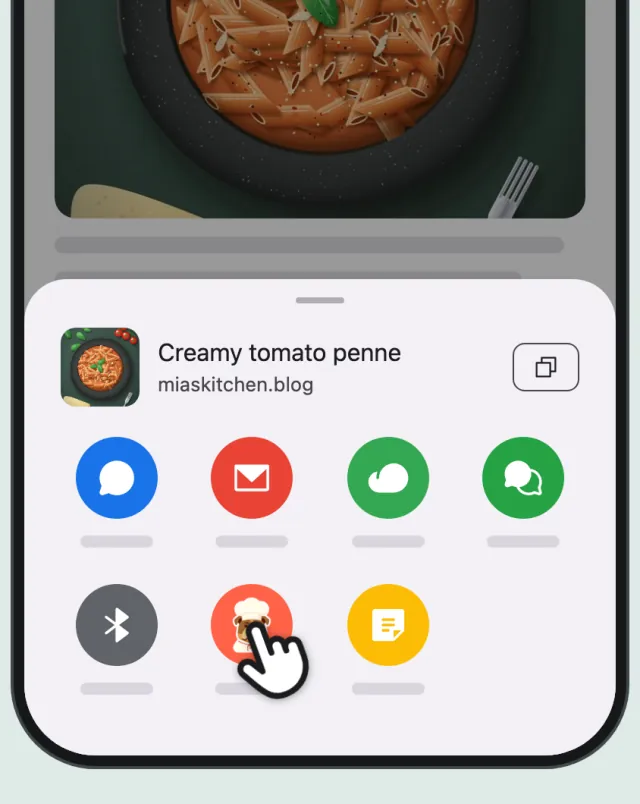
Touch and hold CookZone
Open the share menu in any app. Touch and hold the CookZone icon.
-
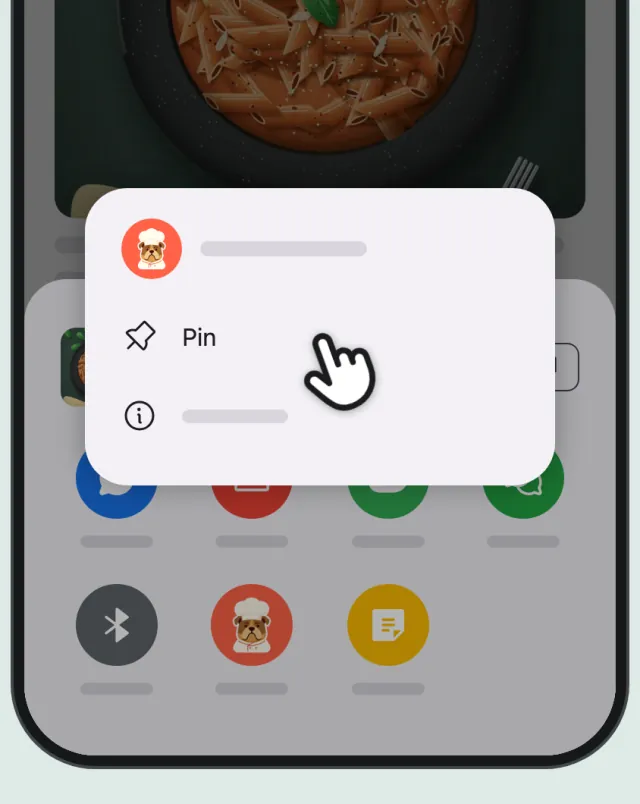
Tap “Pin”
Tap “Pin”.
-
Done
CookZone now stays at the top of your share menu.